Handwritten Text Recognition System
Canny edge detection, a YOLO detector and a CNN character classifier
Abstract
The goal was to transcribe a folder of scanned images, handwritten documents describing objects in a museum collection, into one text file per image. The system chains classical computer vision for line and character detection with a deep learning classifier for recognition, and comes with scripts to process a whole folder or a single image.
Lines are found from edges and contours, characters are separated, binarized and resized to 32×32, then classified by a TensorFlow/Keras network trained on MNIST digits and NIST Special Database 19 letters, reaching 97% accuracy on its test set. A YOLO character detector trained on a small hand-labeled set was explored as an alternative to Canny edge detection.
Keywords: handwriting recognition · OCR · OpenCV · Canny edge detection · YOLO · TensorFlow · Keras
Method
1Preprocessing
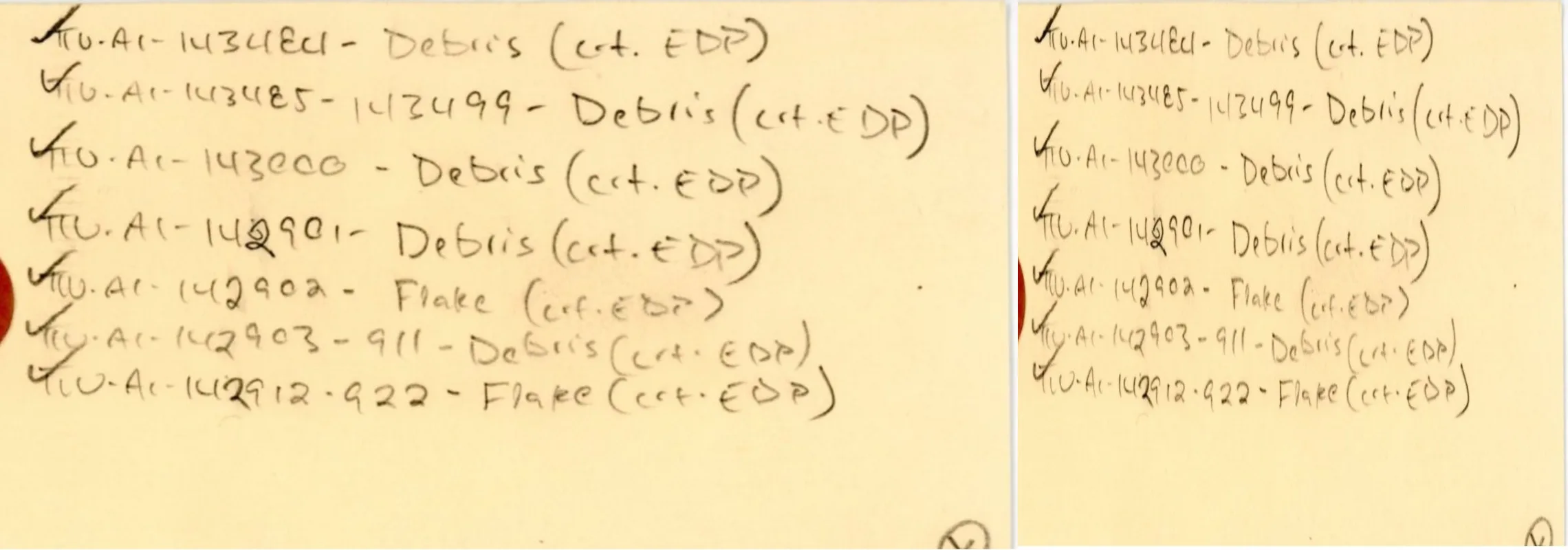
The scans had white regions above and below each label. Images are cropped to the label and resized to a regular 800 × 800 size, which suited the rest of the pipeline.
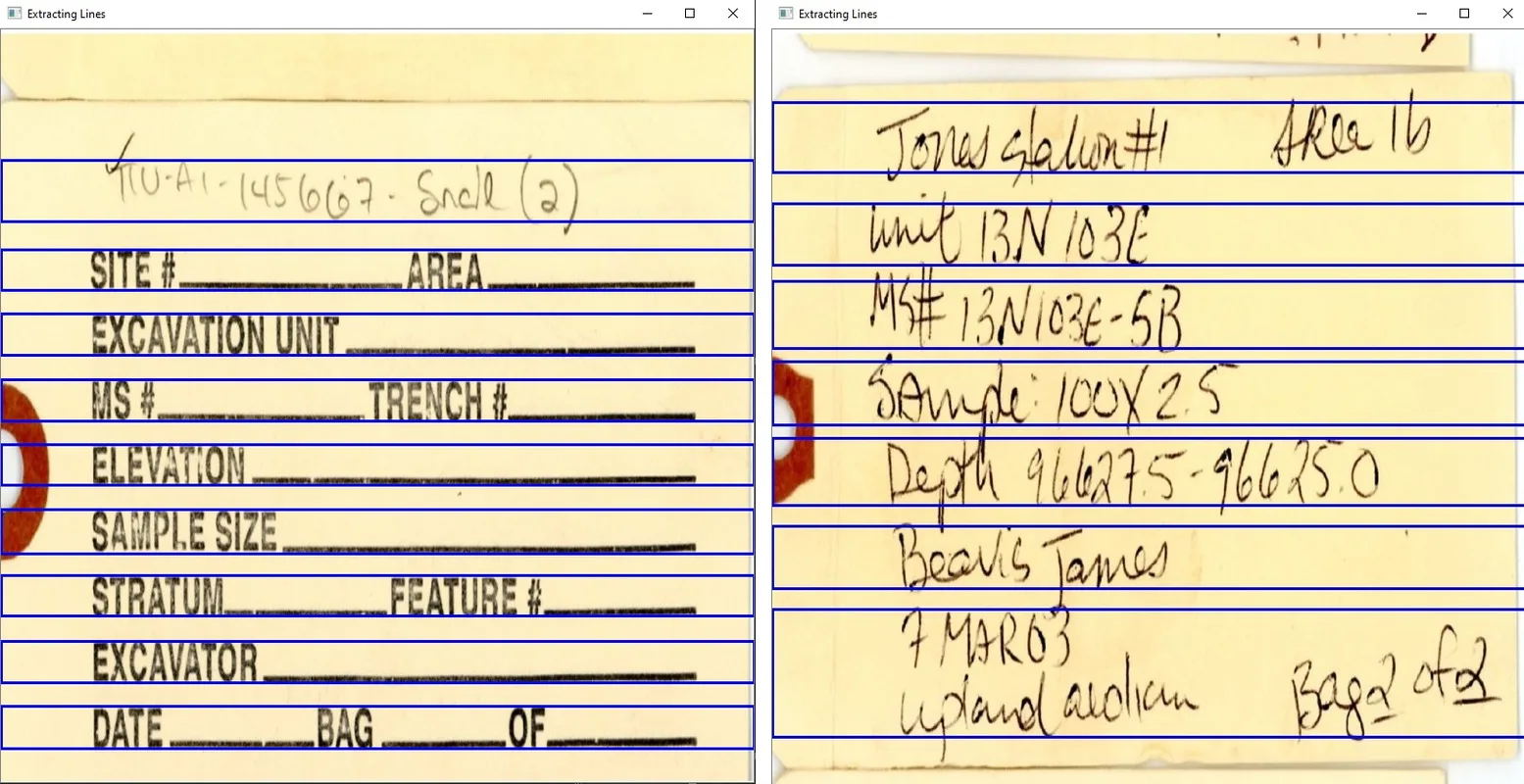
2Line detection
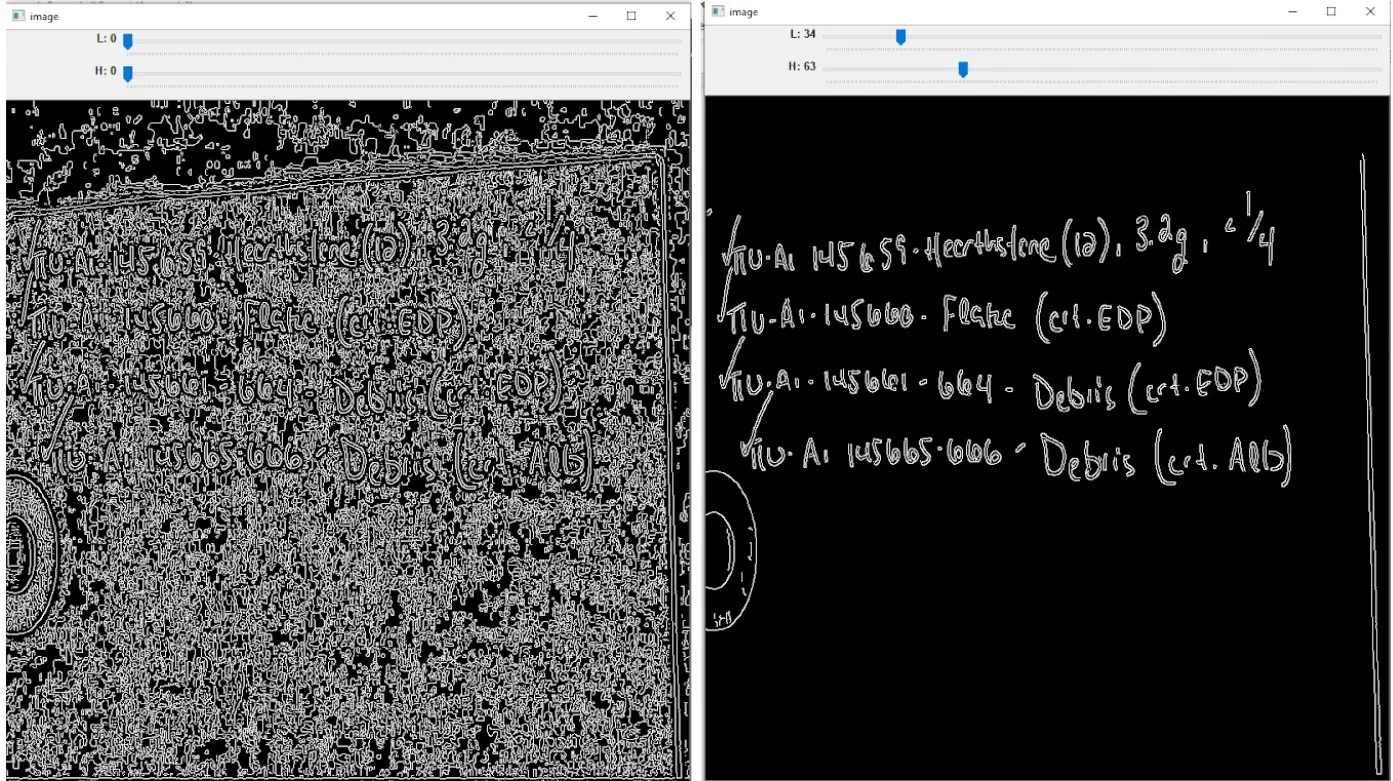
Lines are detected from edges and contours. Thresholding is the crucial step: it decides how well lines are separated, and remains sensitive to noise and irregular text.
3Character detection with Canny edges
Canny edge detection finds character edges and contours, which are saved as bounding boxes and classified. The method needs well-chosen thresholds that are hard to automate, so an interactive version lets the user tune them from the visual result.
4Character detection with YOLO (optional)
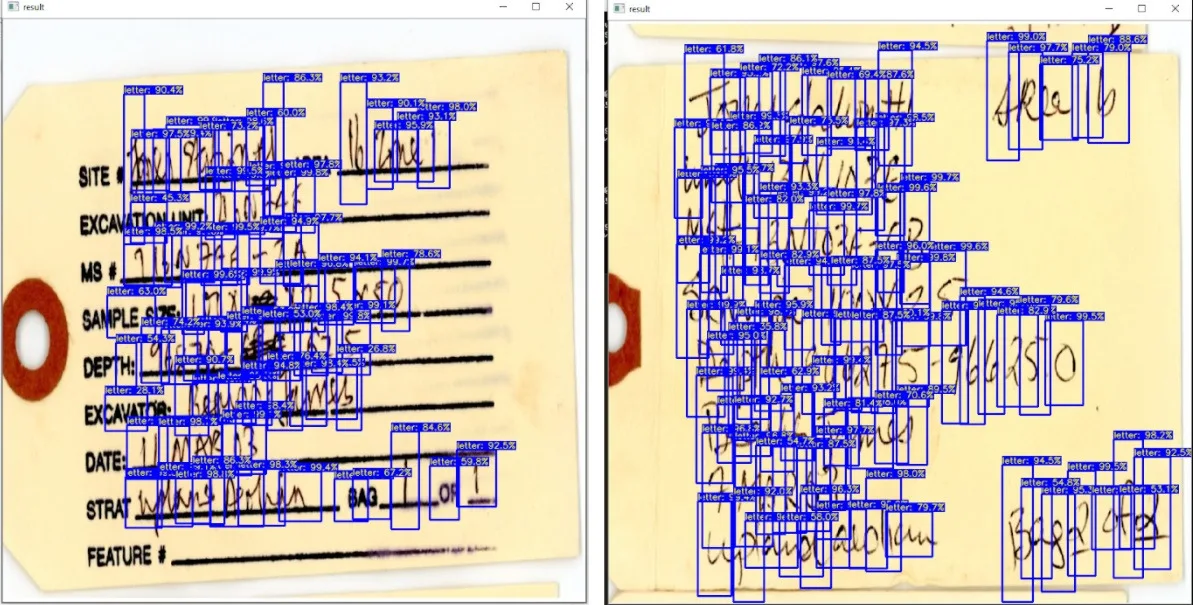
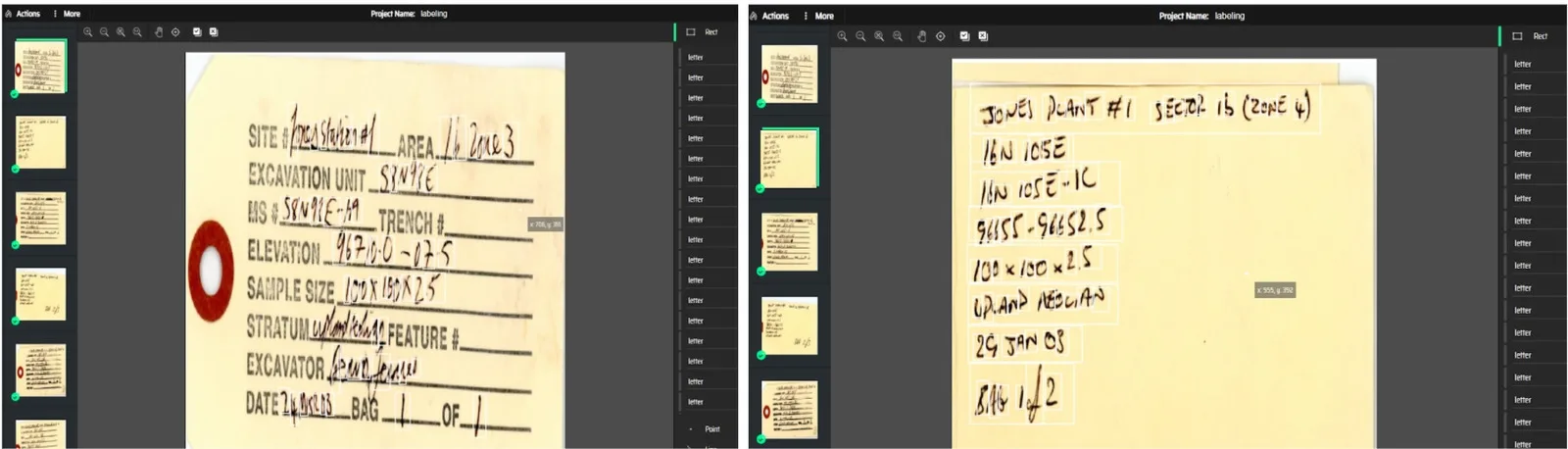
As an alternative, a YOLO model was trained to draw bounding boxes around characters from a small set of hand-labeled images. The boxes are cropped, thresholded to binarize them, and passed to the recognition model.
5Recognition
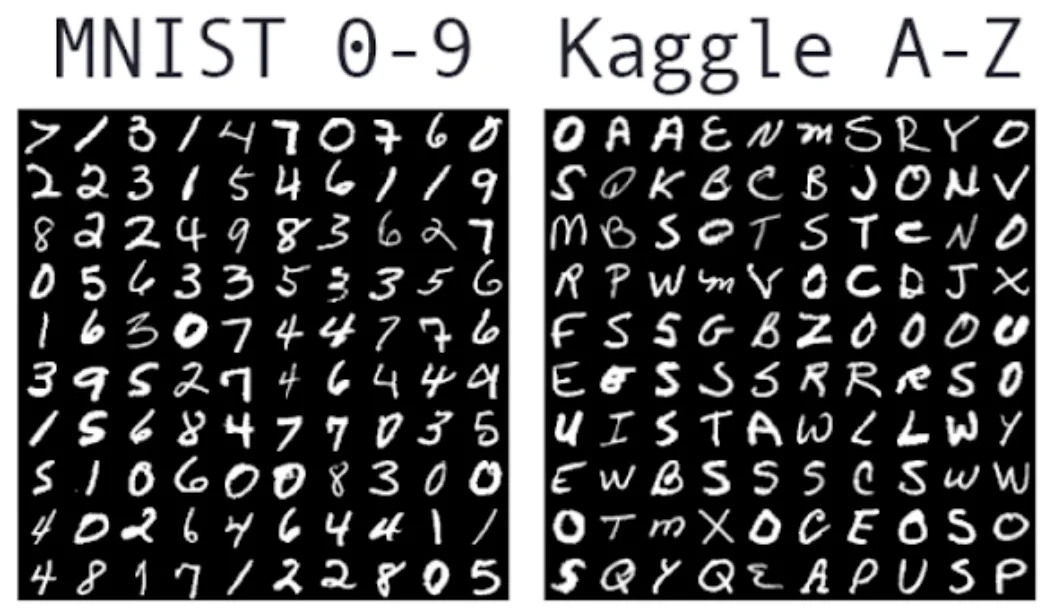
Each detected character is binarized, separated from noise and resized to 32 × 32, the input size of the classifier. The TensorFlow/Keras network recognizes digits (0–9) and capital letters (A–Z); special characters such as dashes and ticks are not recognized. It was trained on MNIST digits and NIST Special Database 19 letters and reached 97% accuracy on the test set.
Results & challenges
- Clean data does not transfer: MNIST and NIST are pre-processed and clean, while real labels are not, so accuracy on the museum scans is far below the 97% test score.
- Lines work, words are hard: line detection works well, but word boundaries are hard to find, so the output separates characters rather than words.
- YOLO needs more labels: with only a few annotated images, the YOLO detector does not work well on these scans.
Handwriting is much harder than printed OCR: styles vary almost without limit, cursive writers join letters so that the model reads several characters as one, and the labels mix printed and handwritten text. Labeling for detection is slow, about 8–9 minutes per image, and labeling errors lead directly to detection errors.
Conclusion & next steps
The system is not yet accurate enough for real-world use. The most promising next step is to label more good-quality data (more than 200 images) and train the models on handwriting from these documents directly, so they learn the real character styles and how to separate joined letters.